Monthly Focus gives one category a job for the month. It is lighter than a full budget: pick one category, set one amount, and let Ledgr show whether you are still comfortable, getting close, or over the line.
Start from Today
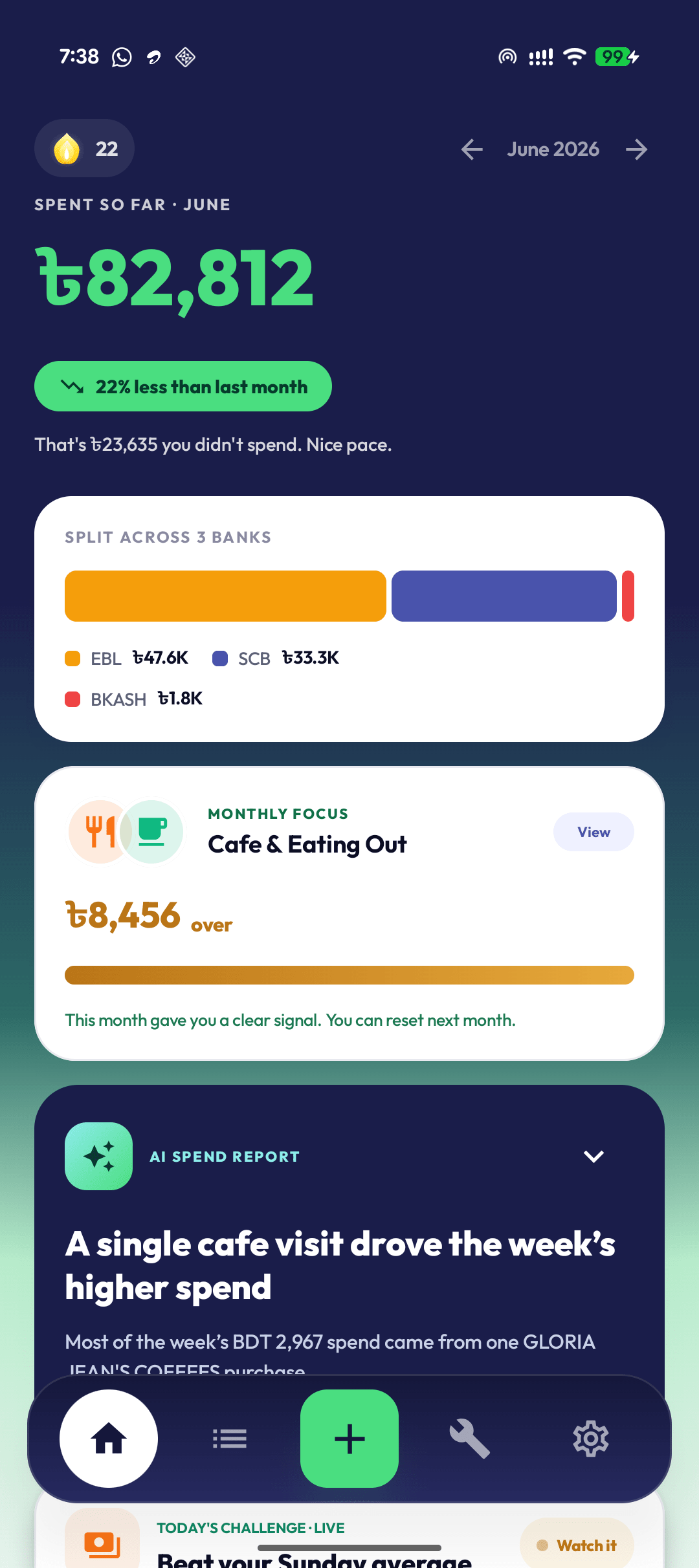
Monthly Focus card
Shows: one category to watch this month — like Cafe & Eating Out — with how far over or under you are. If none is set, Ledgr can suggest one.
Do: tap View to open the focus and check progress. Setting one is quick: pick a category, then choose a target amount (Ledgr suggests one from your recent average), and you are done.
Use this for the category you actually want to notice: food, rides, shopping, entertainment, or any category you have organized.
Track it during the month
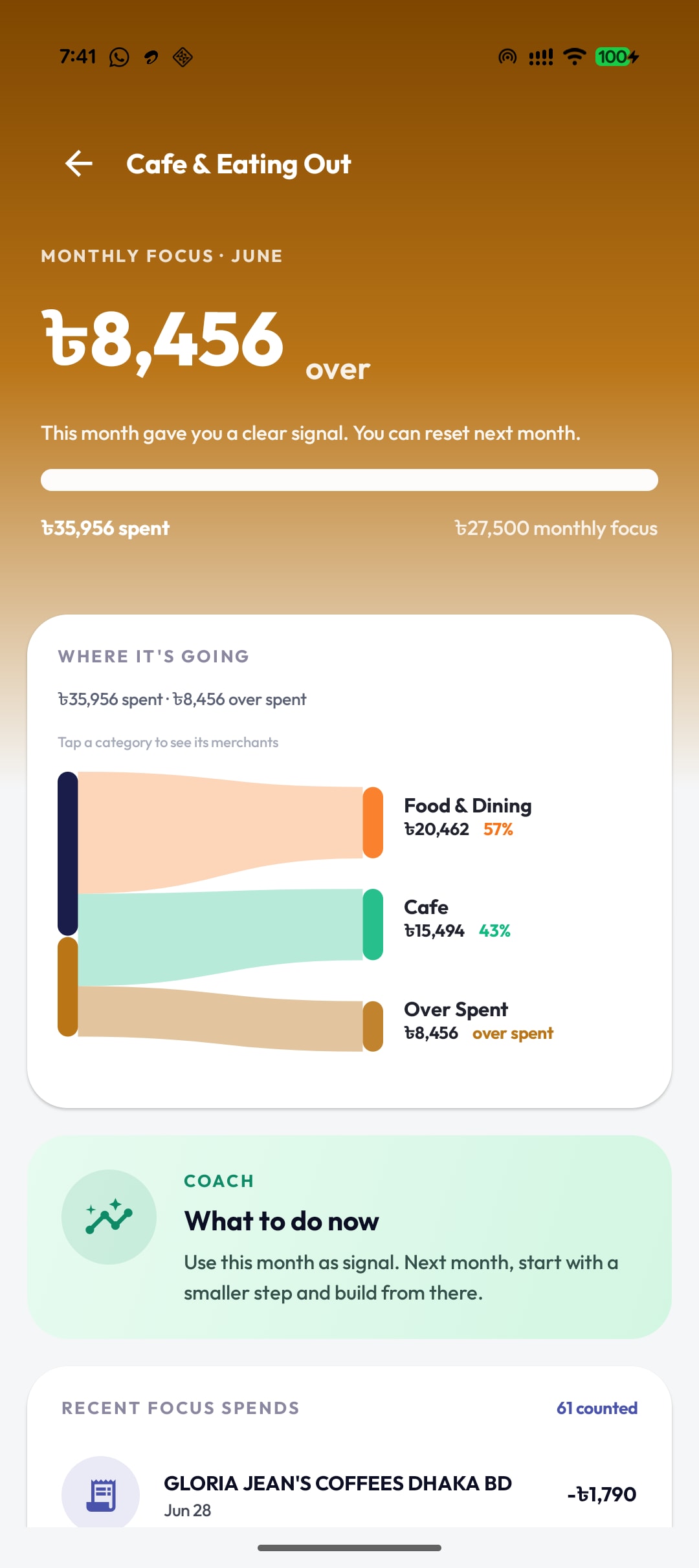
Progress, breakdown & coach
Shows: how much is left or over (e.g. ৳8,456 over), your spent-vs-focus amounts, a Where it's going breakdown splitting the category by sub-spend, and a Coach line with one practical next step.
Do: check the status before adding another spend in that category. Tap a slice in the breakdown to see the merchants behind it.
Crossing the target is not treated as failure — the coach copy frames it as signal for next month, not a penalty.
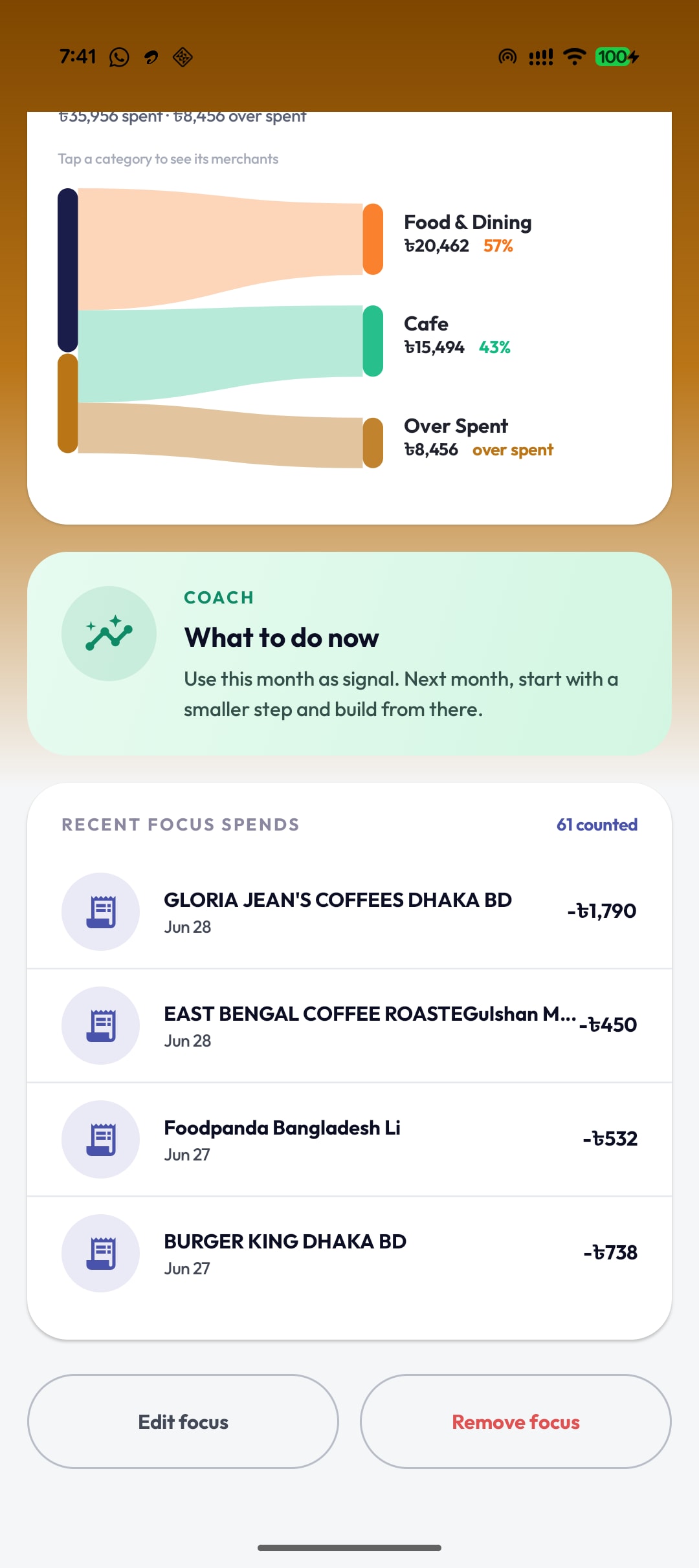
Counted spends, edit & remove
Shows: Recent focus spends with a counted total (e.g. 61 counted) — every transaction that fell into this focus — plus Edit focus and Remove focus actions.
Do: scan the counted list to confirm the right transactions are included. Tap Edit focus to change the amount, or Remove focus to stop tracking this category.
What happens at month end
Monthly Focus closes with a simple reflection: achieved, missed but improved, or missed and not improved. The point is not to punish you. It gives the next month a clearer starting point.
Your focus history is included in Ledgr backup and restore, so a restored backup can bring back monthly focuses when the backup version supports them.
Privacy in one line
- Monthly Focus is built from transactions already stored in Ledgr.
- Supported bank SMS is parsed locally on your phone. No bank login.
- Monthly Focus itself does not need AI consent or raw SMS upload.
- Anonymous beta metrics may record local monthly-focus engagement with a device ID, not raw SMS.
FAQ
Is Monthly Focus a full budget? No. It tracks one category for the month so you can pay attention without setting up a full budgeting system.
Why did Ledgr suggest this category? Suggestions come from recent completed months. Ledgr looks for categories where your past spending makes them worth watching.
Can I change the amount later? Yes. Open the focus and tap Edit focus to change the amount, or Remove focus to stop tracking it.
What if the counted transactions look wrong? Check whether the merchant is organized into the right category. If not, use Organize so future matching transactions count correctly.